
Download JDContextMenu – Free Right-Click Menu Enhancer for Windows & Mac
JDContextMenu is a lightweight, free utility designed to extend the functionality of your right-click context menu on Windows and Mac systems. If you're tired of the limited options available when right-clicking files or folders, this tool brings 12 powerful additions directly to your fingertips. From copying full file paths to opening command-line windows and modifying file timestamps, JDContextMenu enhances productivity for power users and tech enthusiasts. While it lacks support for 64-bit systems and requires occasional restarts after configuration changes, its simplicity and customization options make it a solid choice for those who want more control over file management. Whether you're a developer, system administrator, or just someone who loves fine-tuning their workflow, this tool delivers practical enhancements without bloating your system.
Key Features of JDContextMenu
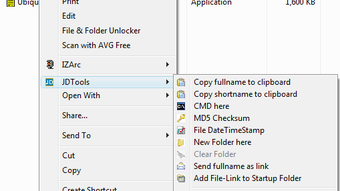
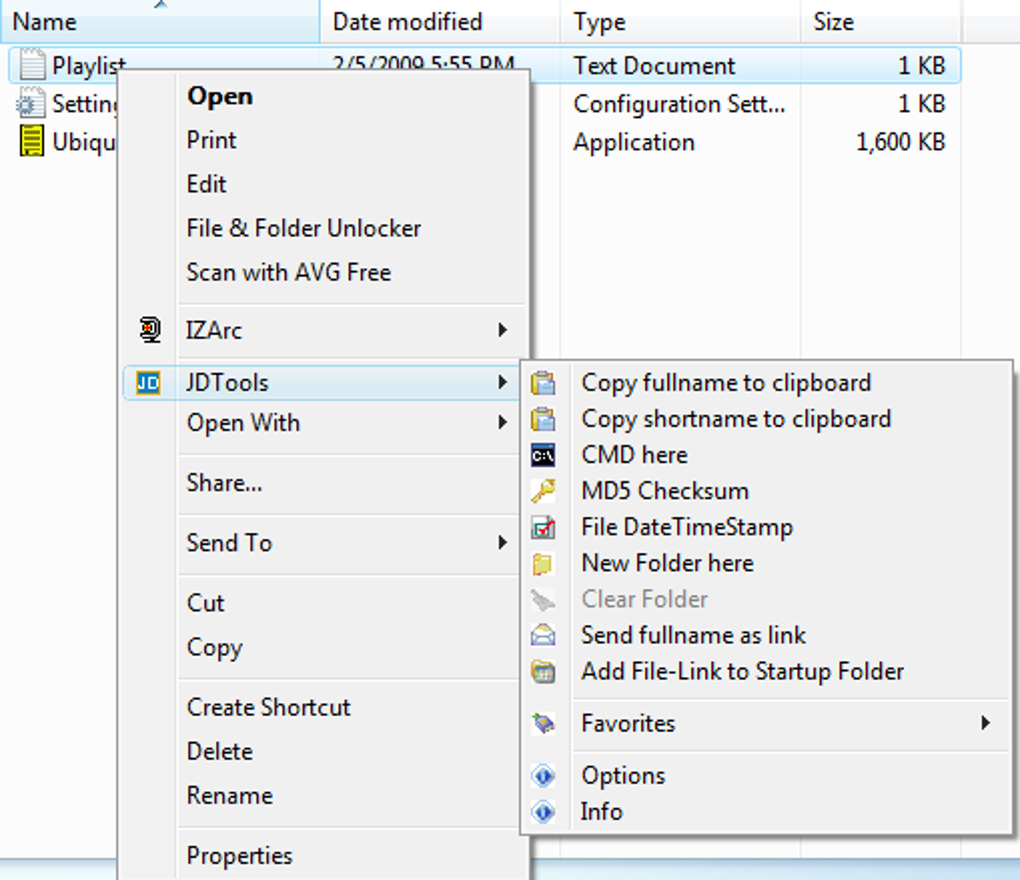
JDContextMenu stands out by adding 12 essential tools directly into your right-click menu, giving you faster access to frequently used file operations. One of the most useful features is the ability to copy either the full or short file path to the clipboard, which is especially helpful when working with scripts, command-line tools, or sharing file locations. Another standout function is the “Open Command Window Here” option, which launches a DOS or PowerShell window directly in the selected folder—perfect for developers and IT professionals who rely on terminal commands.
For users managing large download folders or temporary files, the “Clear Folder” feature is a game-changer. It allows you to instantly remove all contents from a folder without confirmation, saving time during cleanup tasks. The tool also lets you modify file date and time stamps, which is invaluable when organizing files with incorrect metadata or testing software behavior based on file age.
Additional features include creating new folders with a single click, deleting files or folders directly from the menu, and viewing file properties quickly. The ability to reorder menu items gives users full control over workflow efficiency—place the most-used tools at the top for instant access. While some functions are niche, such as changing file attributes or accessing file security settings, they add depth for advanced users. Overall, JDContextMenu delivers a smart blend of practicality and customization, making it a worthy addition to any power user’s toolkit.
Installation & Usage Guide
Installing JDContextMenu is a straightforward process that takes just a few minutes. Begin by downloading the latest version from the official website. The installer is compact and does not include bundled software or adware—ensuring a secure and clean setup. Once downloaded, run the installer and follow the on-screen prompts. The installation wizard will guide you through the process, and you’ll be prompted to restart your system if necessary.
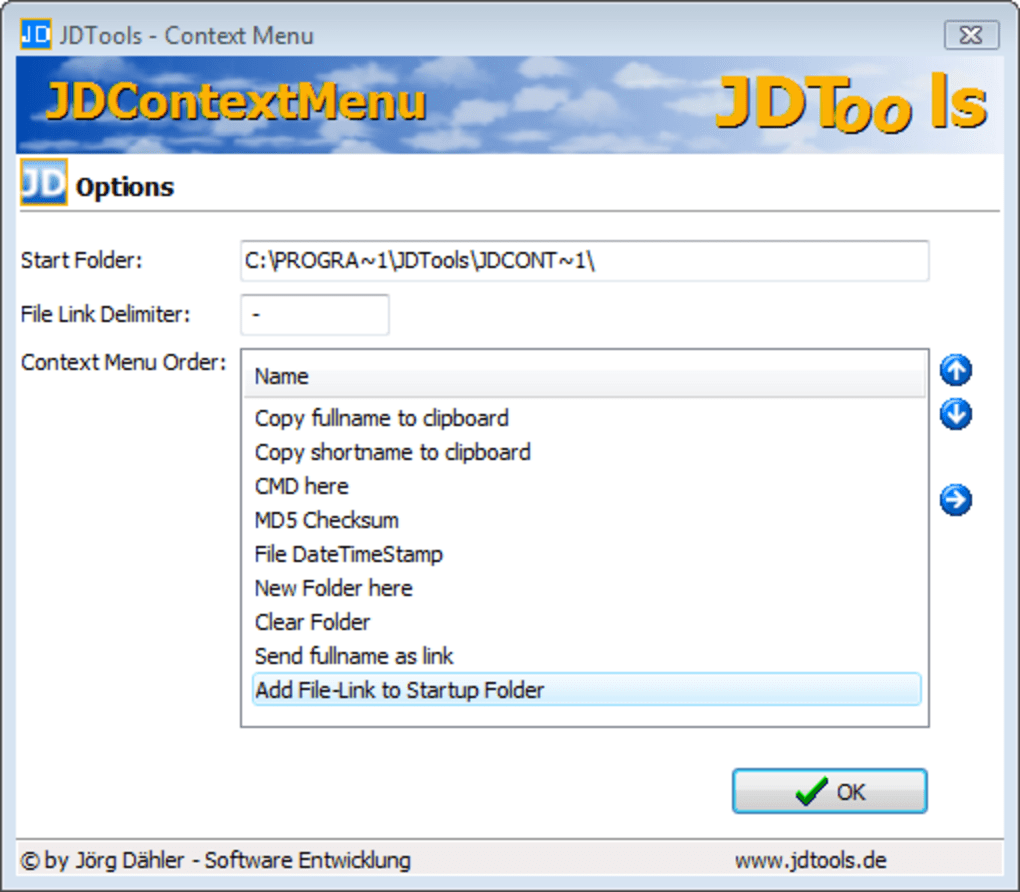
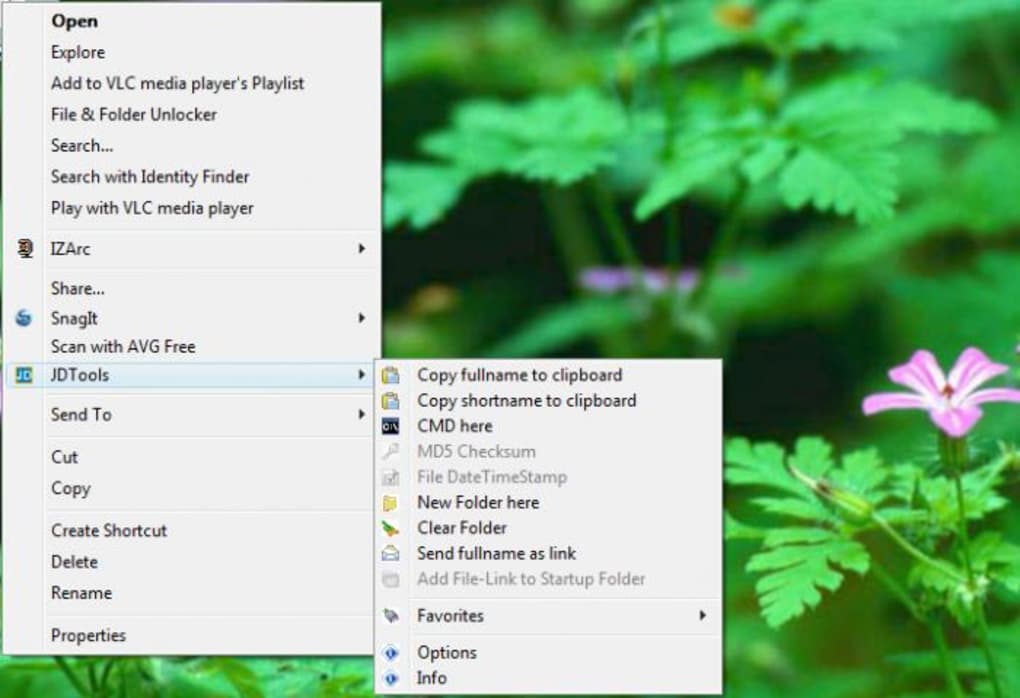
After installation, simply right-click any file or folder to see the new options appear in your context menu. You’ll notice a new section labeled “JDContextMenu” with all 12 available tools. To customize the order of these tools, access the settings panel via the system tray icon or by running the configuration utility from the Start menu. Here, you can enable or disable specific features, rearrange the menu order, and even assign keyboard shortcuts to frequently used actions.
One important note: certain configuration changes, such as enabling or disabling features, may require a system restart to take effect. While this can be inconvenient, it’s a known limitation tied to how Windows handles context menu modifications. Despite this, the benefits far outweigh the minor disruption. For users on older systems or those who prefer minimal interference, JDContextMenu operates quietly in the background with no noticeable performance impact.
Compatibility & System Requirements
JDContextMenu is primarily designed for Windows operating systems, including Windows 7, 8, 10, and 11. It supports both 32-bit and 64-bit architectures, although it’s important to note that the current version has limited support for 64-bit systems. This may affect users on newer machines with 64-bit processors, so it’s recommended to check compatibility before downloading. For Mac users, there is no official version available, but some third-party forks may offer limited functionality.
The software is lightweight, consuming minimal system resources—typically less than 10 MB of RAM during operation. It does not require a powerful CPU or large storage space, making it suitable for older or low-spec machines. The application is free to download and use, with no trial period or hidden charges. However, it’s worth mentioning that updates are infrequent, so users should periodically check the developer’s site for new releases.
For optimal performance, ensure your system has administrative privileges when installing and configuring JDContextMenu. This allows the tool to modify the Windows Registry and integrate seamlessly into the context menu. If you encounter issues with missing options, try running the installer as an administrator. Additionally, users should be cautious when modifying system-level settings and consider backing up the registry before making changes.
Pros and Cons
- Pros:
- Free and secure download with no ads or bloatware
- 12 powerful, customizable tools for file management
- Lightweight with minimal impact on system performance
- Supports custom menu ordering for personalized workflow
- Useful for developers, testers, and power users
- Cons:
- Limited 64-bit system support
- Some settings require a system restart
- No official Mac version available
- Infrequent updates and lack of active developer support
- Some features are niche and not useful for average users
Frequently Asked Questions (FAQ)
- Is JDContextMenu free to download and use?
-
Yes, JDContextMenu is completely free to download and use. There are no hidden costs, subscription fees, or trial limitations. The software is distributed openly, allowing users to enhance their right-click menu without financial commitment.
- Does JDContextMenu work on 64-bit Windows systems?
-
While JDContextMenu supports 64-bit systems, its functionality is limited compared to 32-bit versions. Some features may not work as expected, and users are advised to test the software thoroughly before relying on it for critical tasks.
- Can I reorder the tools in the JDContextMenu menu?
-
Yes, one of the standout features of JDContextMenu is the ability to customize the order of menu items. Access the settings panel to drag and drop tools into your preferred sequence, ensuring the most-used functions are always at the top.
- What should I do if the right-click menu doesn’t show JDContextMenu options?
-
If the options aren’t appearing, restart your computer or run the installer as an administrator. You can also check the system tray for the JDContextMenu icon and verify that the tool is enabled in the settings.
- Is there a Mac version of JDContextMenu?
-
Currently, there is no official Mac version of JDContextMenu. The tool is exclusively designed for Windows. However, Mac users can explore alternative tools like “RightZoom” or “Quick Actions” for similar functionality.
Final Verdict & Call to Action
JDContextMenu is not a revolutionary tool, but it’s a solid choice for users who want to enhance their file management experience with minimal overhead. Its 12 practical features—especially the command window launcher, file path copying, and folder clearing—are genuinely useful for power users and professionals. While the lack of 64-bit support and the need for system restarts after changes are drawbacks, they don’t overshadow the tool’s core value.
For those who frequently work with files, scripts, or system-level tasks, JDContextMenu offers a convenient way to streamline workflows. It’s lightweight, secure, and free—making it an excellent addition to your software toolkit. If you’re looking to make your right-click menu more powerful, give JDContextMenu a try today.
Download JDContextMenu now and take control of your file management experience—fast, free, and secure.







